01
Plan
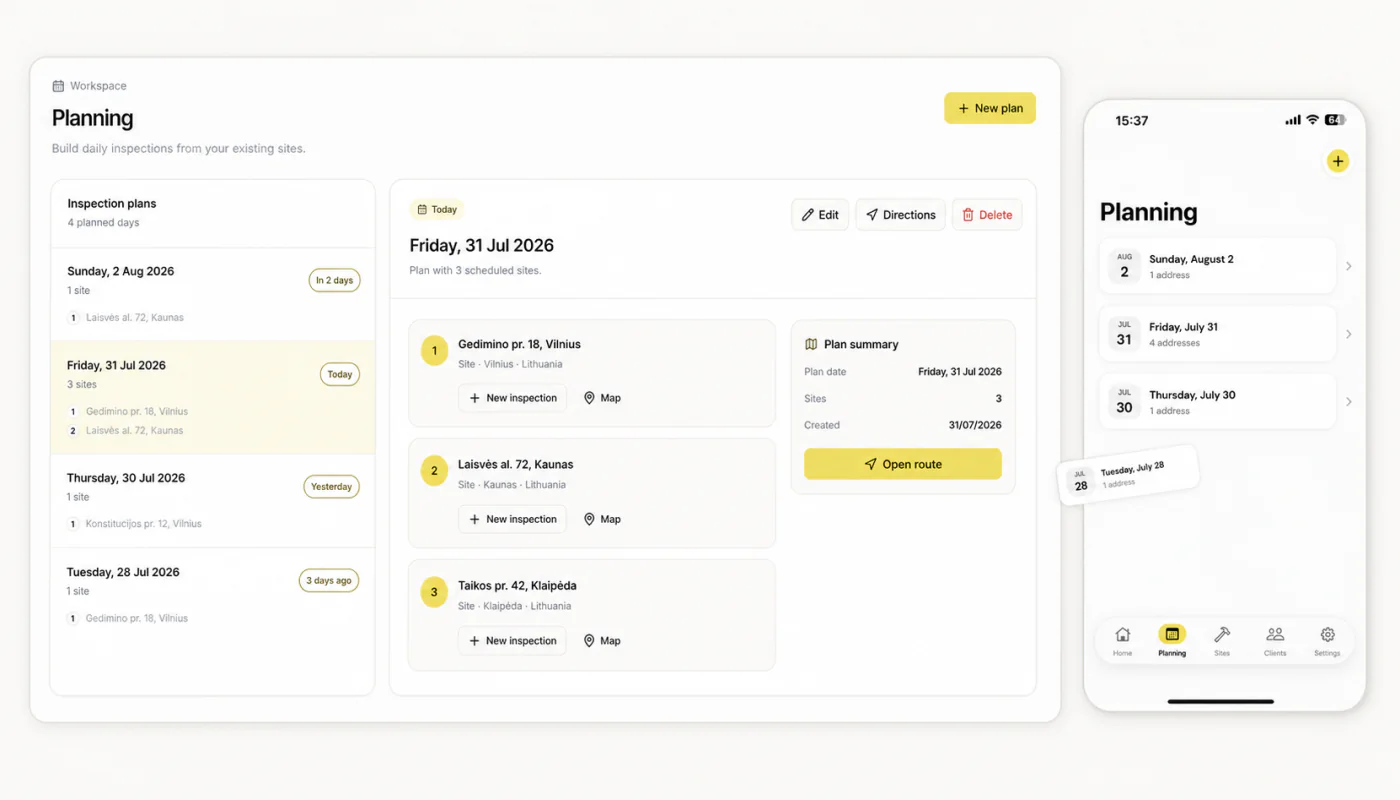
Choose the property, inspection type and template.
Learn moreIncluded
- PropertyKeep the inspection tied to the right property.
- Inspection typeStart from the workflow your team needs.
- TemplateCarry the brief into one consistent checklist.
MeetInspect keeps fieldwork moving even when the signal stops

Product
MeetInspect connects mobile field capture, photo evidence, signatures, branded PDF reports and dashboard operations in one workspace.
Choose the property, inspection type and template.
Learn moreIncluded
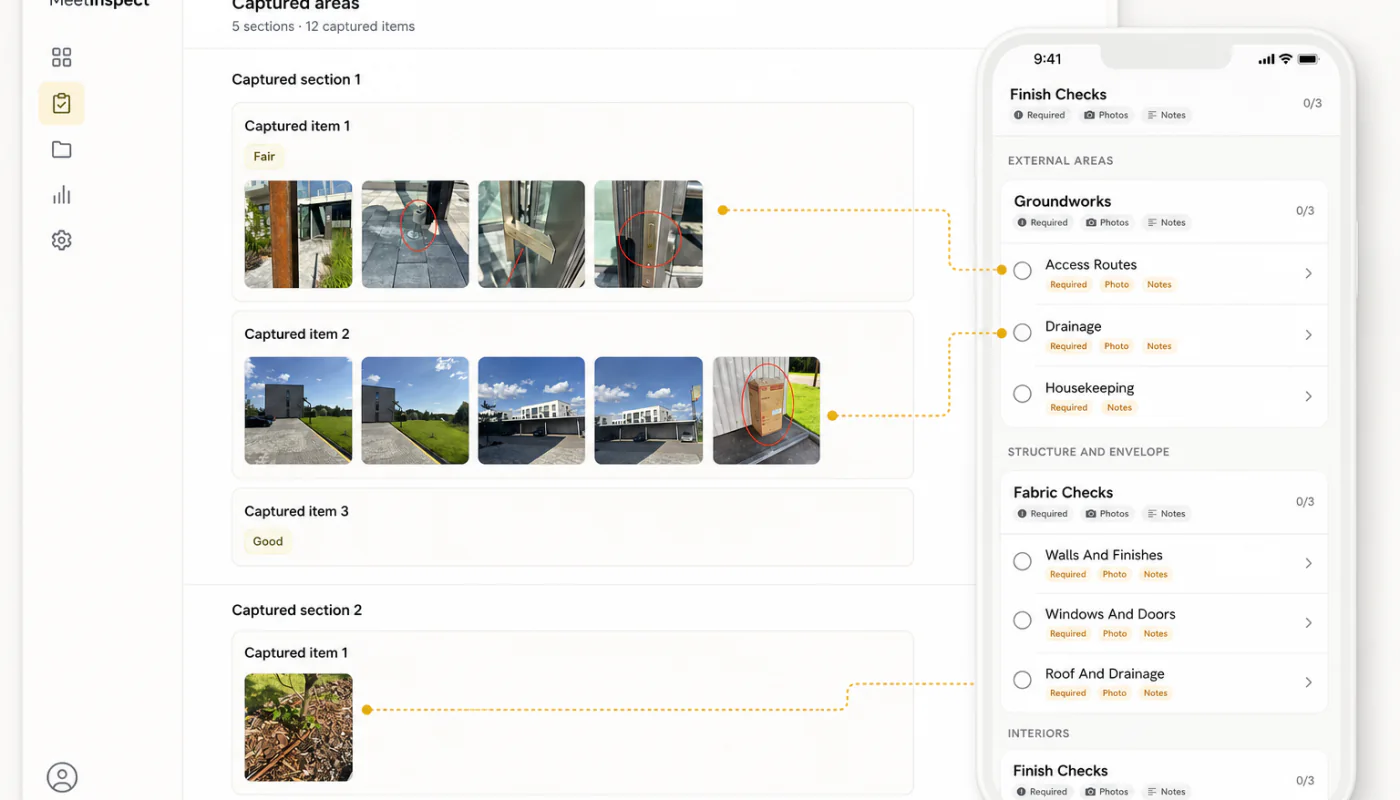
Follow the checklist and capture structured evidence.
Learn moreIncluded
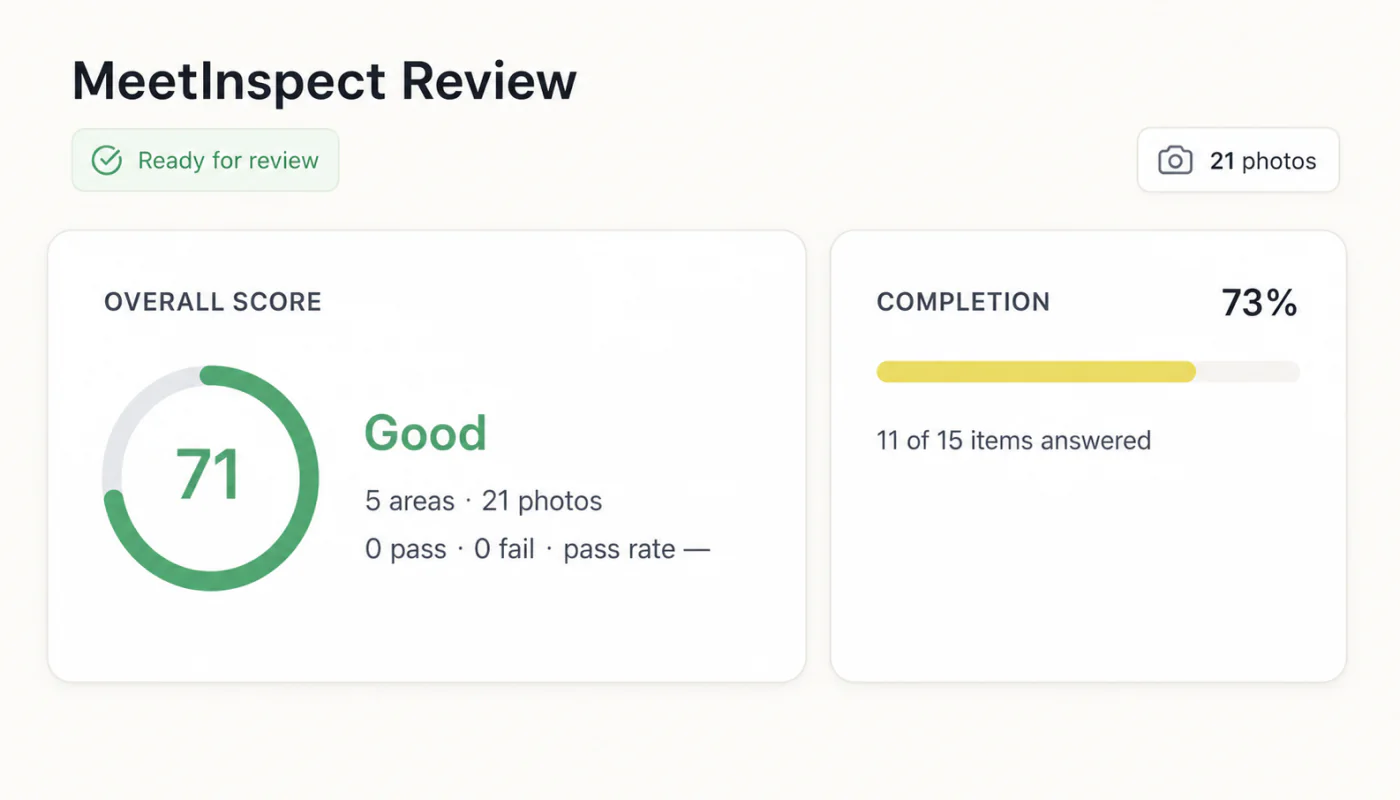
Resolve missing items and confirm the record.
Learn moreIncluded
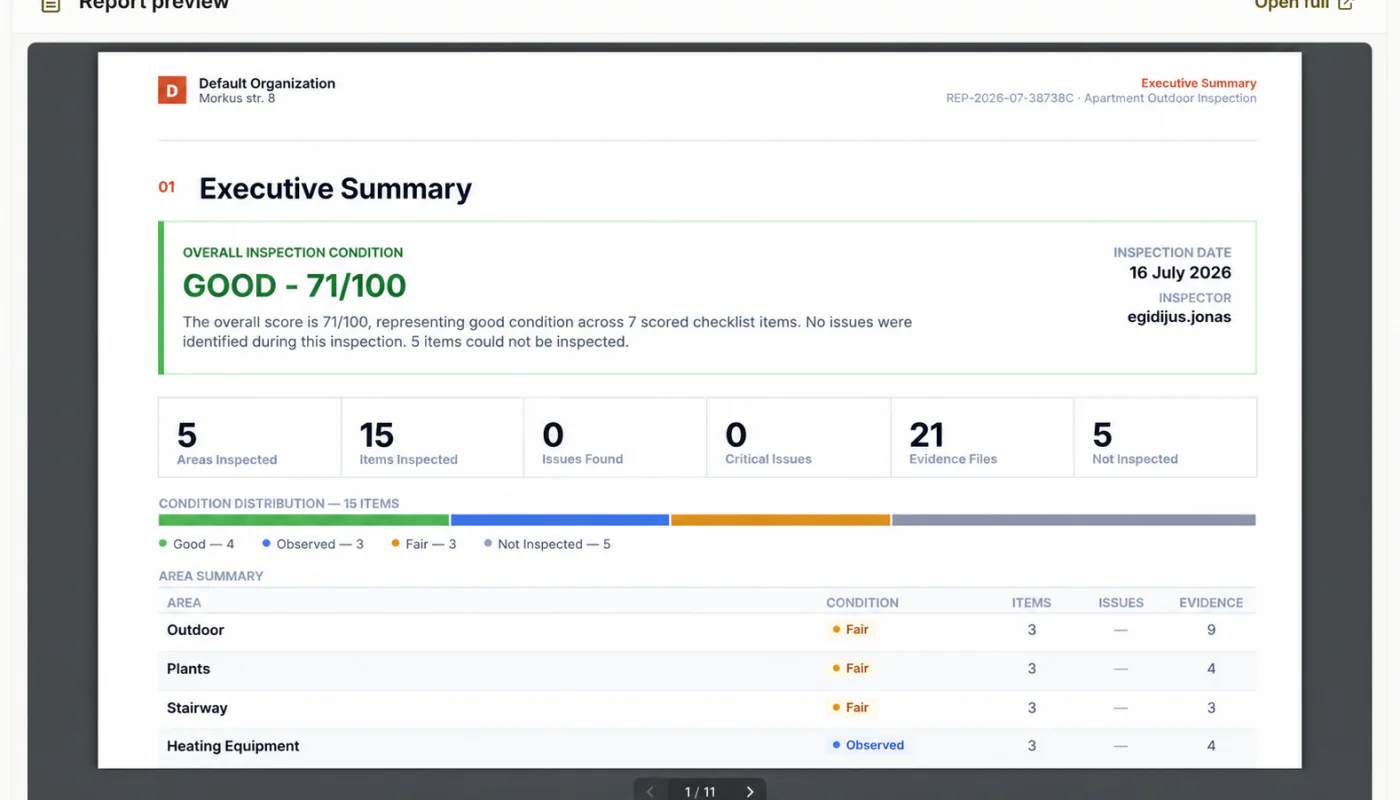
Create and share a clear, signed inspection report.
Learn moreIncluded
One connected inspection record
Mobile field capture, photo evidence, signatures, branded PDF reports and dashboard operations stay together.
Evidence, actions, signatures and reports stay connected so the team can see what happened and what comes next.
Choose the property, inspection type and template before the field team starts.
Follow the checklist and capture structured evidence in one inspection record.
Resolve missing items and confirm the record before the report is shared.
Create and share a clear, signed inspection report from the completed record.
Start with your workflow
Describe the property, evidence and reporting standard. MeetInspect will carry the brief into your new workspace.

Prefer to talk?
Talk to usIn depth
MeetInspect is a SaaS inspection platform made of a native iOS application and a web administration environment. That division is not incidental — the two halves have genuinely different users, contexts and constraints, and treating them as one product with two skins is where inspection tooling usually goes wrong.
The dashboard is used sitting down, with a keyboard, by someone configuring how inspections should work. The application is used standing up, one-handed, by someone with fifteen minutes and a resident waiting. Optimising both for the same interaction model compromises each.
The Inspection Runner is the part of the iOS application that carries an inspector through a workflow: the fields and checks to complete, navigation between steps, evidence capture, and the persistence that keeps all of it intact as the inspection proceeds.
It is built around completing inspections efficiently in real working conditions rather than around demonstrating features. Photo capture happens inside the runner rather than as a separate step, so each image belongs to the check that required it, and the application is engineered specifically around retaining captured photos as the inspector continues through the workflow.
The web dashboard is the management side of the platform: where inspections are created and managed, and where the structure that field teams receive is defined. It is the point at which one organisation's standard becomes the thing every inspector is actually handed.
MeetInspect also includes functionality for generating inspection workflows from prompts, producing a structure that can be reviewed and adjusted before use. Generated content is a starting point for a person to check, not an output to accept unexamined.
An inspection record holds the answers, notes, photographs and signatures captured during a visit, connected to the property and the template that produced it. A PDF report is generated from that record once it is complete.
Keeping the report as a rendering of the record rather than a separate document is what stops the two diverging. There is one account of what was observed, and the document people read is a view of it.
Field-first inspection software for consistent evidence, offline capture and professional reports.

© 2026 MeetInspect. All rights reserved.