Can inspectors work without signal?
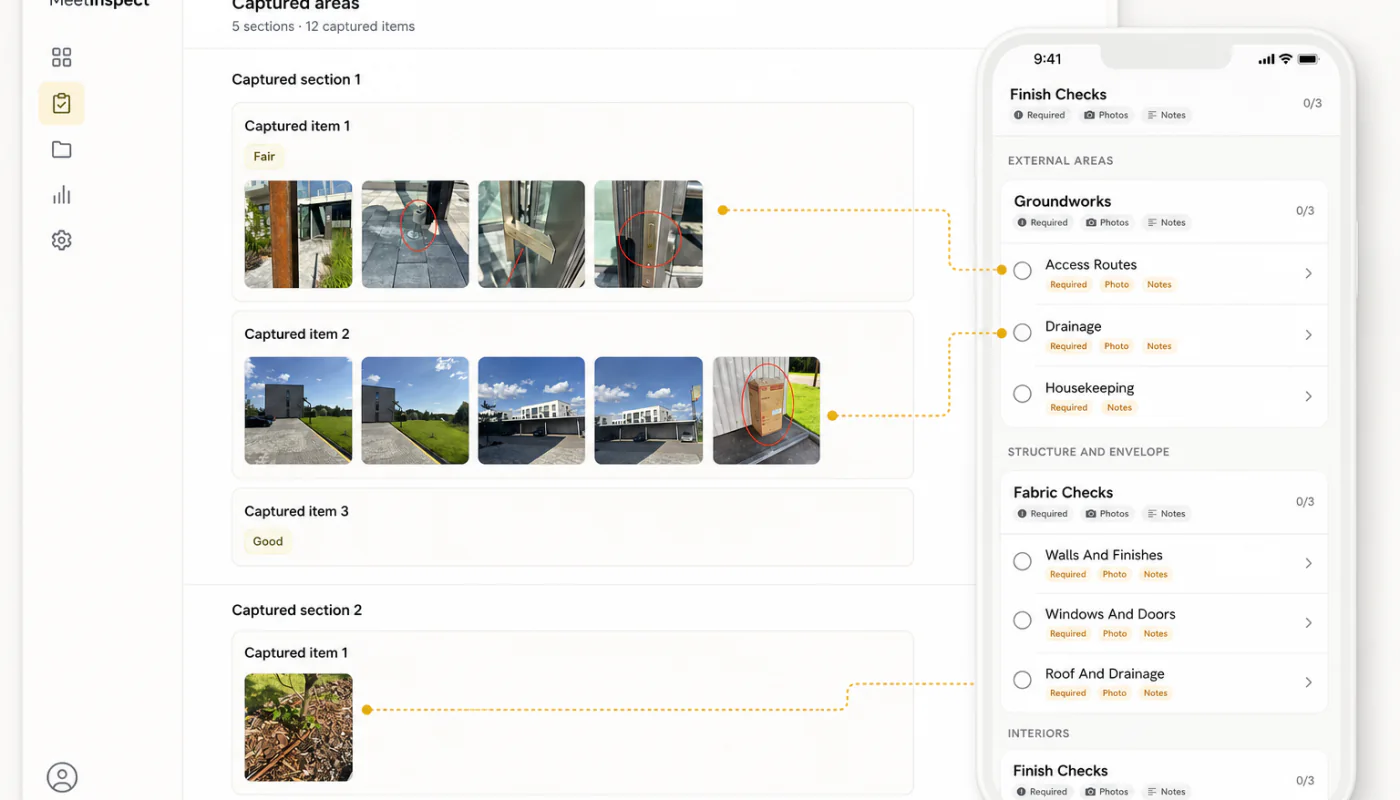
Yes. MeetInspect supports guided offline field capture. Saved work synchronises after the device reconnects; inspectors should not sign out or remove the app while work is pending.
MeetInspect keeps fieldwork moving even when the signal stops

FAQ
Direct answers about workflows, offline fieldwork, templates, reports, access and subscriptions.
What it covers
Open each question for a concise answer, then follow the related documentation when you need operating detail.
Yes. MeetInspect supports guided offline field capture. Saved work synchronises after the device reconnects; inspectors should not sign out or remove the app while work is pending.
Workspace administrators can configure templates around the sections, questions and evidence required by their inspection process. Available capabilities depend on the workspace plan.
A workflow can include structured answers, notes, photographs, annotations and signatures where the template and device permissions support them.
After the record has synchronised and been reviewed, authorised users can generate a PDF from the completed inspection content and workspace report configuration.
The documented workspace roles are Admin, Inspector and Viewer. Billing ownership is separate from an ordinary invitation.
Yes. Separate templates can represent different property, safety, quality, handover or operational workflows inside the same workspace.
In practice
Create a workspace, configure one representative template and complete a test inspection before a wider rollout.
Use the documentation first, then email support@meetinspect.com with the workspace, approximate time, device and concise issue description.
The Privacy Policy explains account, workspace, inspection, billing and diagnostic information, service providers, retention and available choices.
In depth
Inspection software structures and records professional judgement; it does not replace it. A template can require that a question is answered and that a photograph accompanies the answer, but it cannot determine whether a crack is structural or whether damp is condensation. Those remain the inspector's assessment.
This matters when evaluating any automated or generated capability. MeetInspect includes functionality for generating inspection workflows from prompts, which produces a structure to review and adjust — not a judgement that can be accepted without checking. Generated inspection content should always be reviewed before use.
During a visit, particularly one conducted without connectivity, the inspection exists on the device. It becomes shared once synchronised. Understanding this sequence explains most of the operational advice around field work: do not sign out mid-inspection, do not remove the application with work pending, and confirm synchronisation before considering a visit closed.
These are not arbitrary cautions. They follow directly from the fact that captured-but-unsynchronised work has exactly one copy.
Organisations rarely perform one kind of inspection. Separate templates can represent different property, safety, quality, handover or operational workflows inside the same workspace, which is what allows a single programme to cover genuinely different work without forcing it into one shape.
The judgement is about where to draw the line between templates. Inspections that support the same decision belong together; inspections that answer different questions are better separated even when they cover the same building.
Next step
Explore the related guidance, or speak with MeetInspect about the inspection your team needs to run.
Field-first inspection software for consistent evidence, offline capture and professional reports.

© 2026 MeetInspect. All rights reserved.