Planning & scheduling
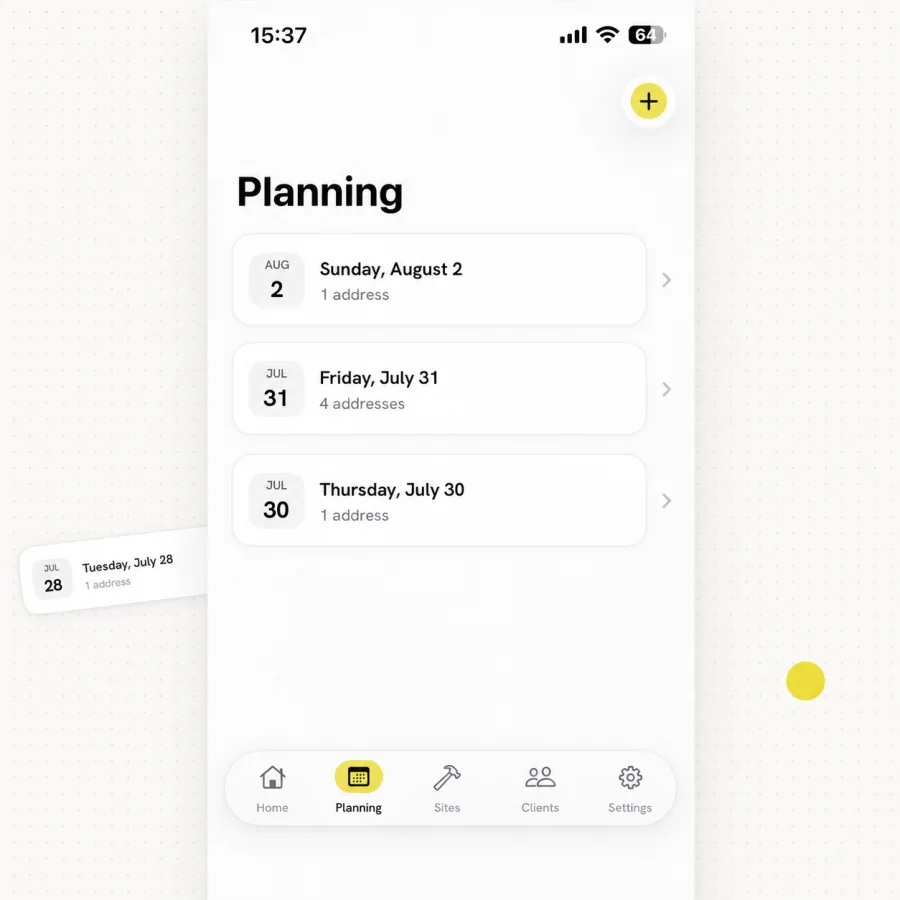
Assign the property, template, due date and inspector before the visit.
- Property and template
- Due dates and assignment
- Inspector scheduling
MeetInspect keeps fieldwork moving even when the signal stops

Welcome to MeetInspect
MeetInspect combines a native iOS inspection app with web administration. Plan field inspections, reuse templates, work offline, capture photos, video, notes and digital signatures, document issues and generate professional PDF reports.
One prompt to workspace
Tell us what you inspect, the evidence you collect and the report your team needs.
Your description follows you securely into signup — there is no need to enter it again.
MeetInspect immediately prepares the workflow, templates and reporting defaults for you to review.

Built for field teams
MeetInspect platform
Assign the property, template, due date and inspector before the visit.
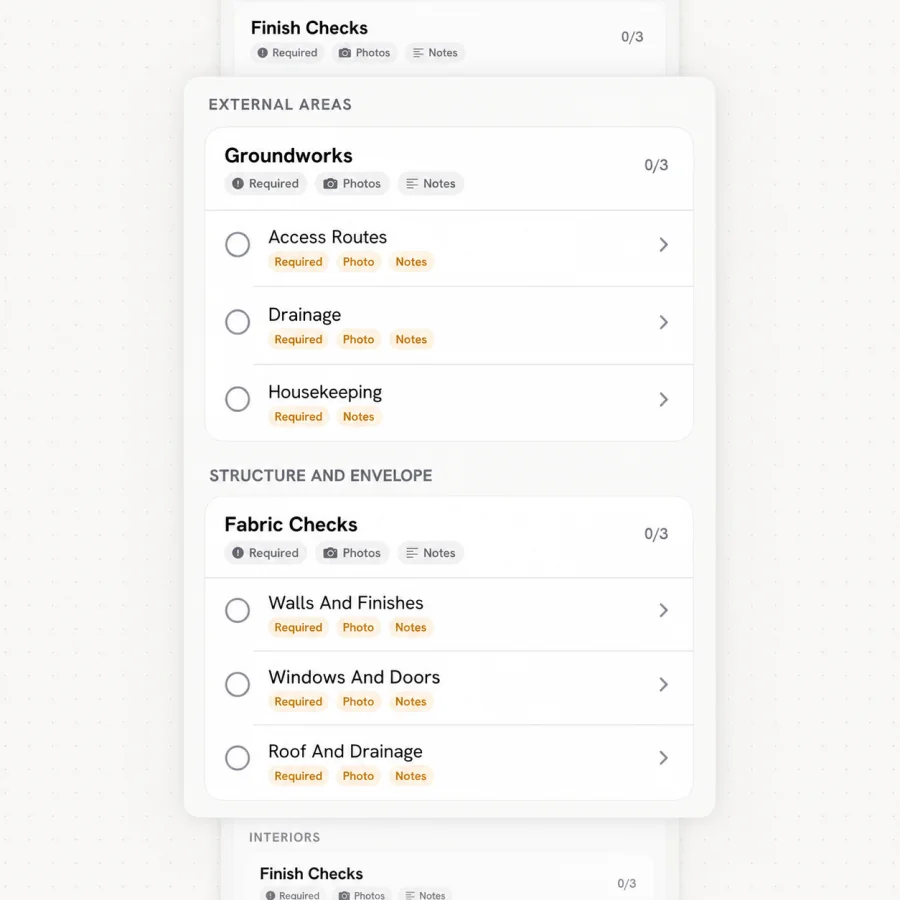
Repeatable templates keep required answers clear from room to room.
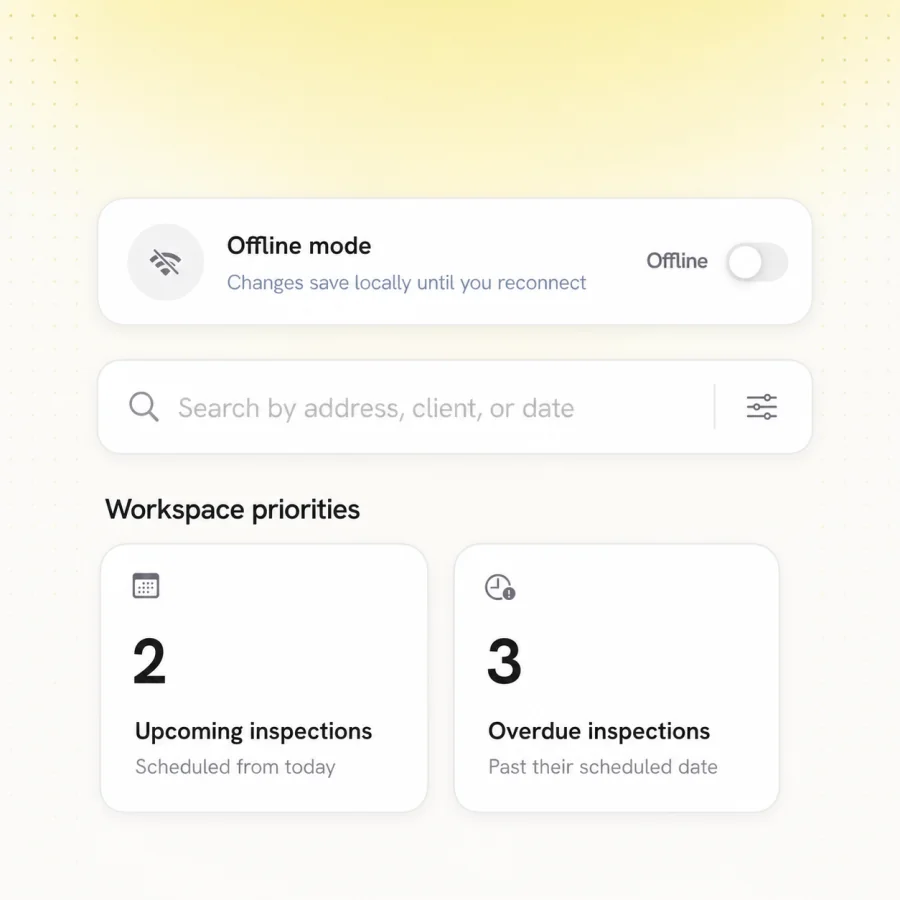
Keep inspecting when the connection disappears and synchronise safely later.
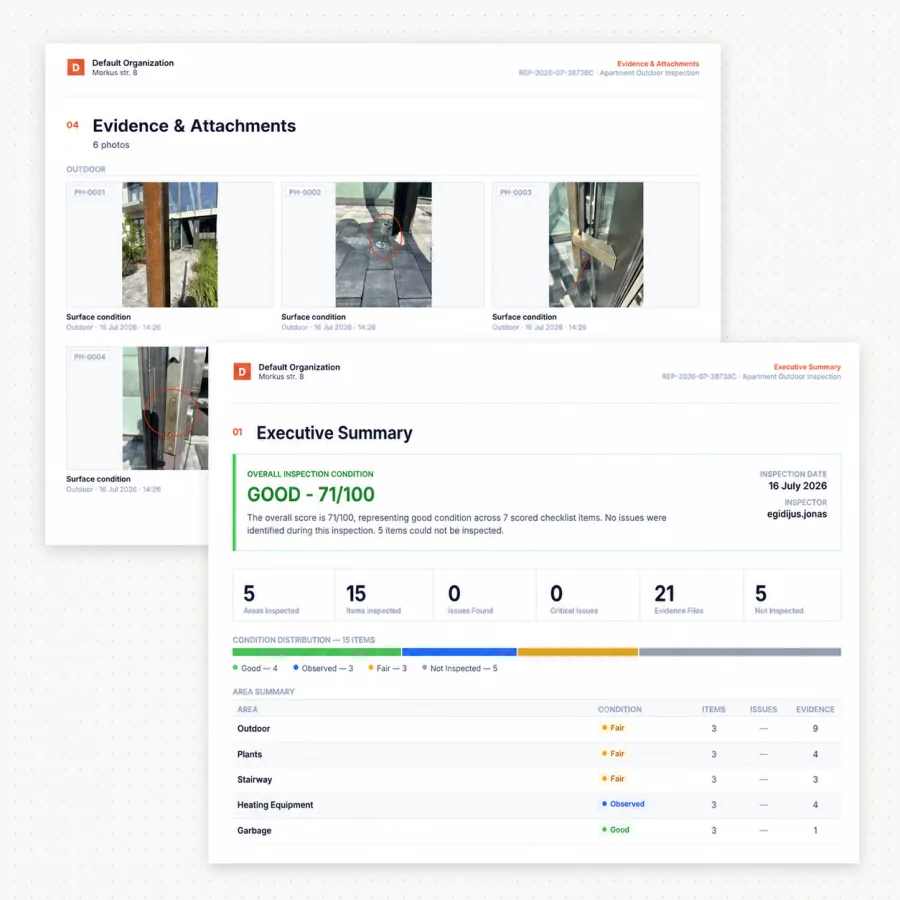
Resolve missing evidence, confirm the record and produce the final report.
Customer studies

Verified customer stories are published only once the organisation has approved them
Before publication we confirm the organisation, the named source, the quote, the workflow context and every measurable result. Nothing appears here until it is approved.
How we work
Every inspection follows the same five-phase workflow. No evidence is detached, no review step is skipped and no report is rebuilt by hand.
Start with the property, inspection type, required evidence, signatures and reporting standard. MeetInspect turns that brief into a practical first checklist before anyone arrives on site.
Choose the property and template, set the due date and assign the right inspector. Every visit starts from the same controlled workflow.
Move through required answers, photos and notes in a clear sequence. Offline capture keeps the inspection moving when the signal disappears.
Resolve missing answers, evidence and signatures while every detail remains connected to the property and inspection record.
Generate a professional PDF from the approved record, then reuse the template to standardise the next inspection across teams and sites.
Swipe to explore all five phases →
Customers
Residential
Commercial
Housing
Equipment & assets
Fleet & vehicle
Safety & EHS
Facilities
Construction
Hospitality
Resources



Clear answers about offline work, templates, evidence and getting started with MeetInspect.
Yes. MeetInspect is designed for offline field capture and synchronises saved work when the device reconnects, so an inspection is never lost because the signal dropped.
Yes. Separate templates can represent different property, safety, quality, handover or operational workflows inside the same workspace.
Get started
Bring one of your inspections and we will map the workflow — the property, the evidence you need and the report you send.
Field-first inspection software for consistent evidence, offline capture and professional reports.

© 2026 MeetInspect. All rights reserved.